PHOTO TO VIDEO · 5 SECONDS
Raindance AI: a golden-hour pier scene from your photos
The Raindance trend puts ordinary people on a weathered wooden pier at sunset, singing to each other while the light comes off the water. This page covers the raindance ai video and raindance trend searches. SnapToClip makes an original five-second 9:16 clip from your photo and a text prompt; it does not copy the music video frame by frame.
Create with my photo ↗Upload your photo and customize the scene
The prompt is already filled in below. AI generation uses credits; check the selected model, sound option and cost before confirming.
- 1Choose a look
- 2Frame your photo
- 3Review & create
- 4Check your video
Create a video from one photo
An everyday portrait with big-screen energy.
Choose an adult portrait with natural lighting and visible shoulders. The autumn street and cafe lights create the setting; avoid a heavily filtered source face.
1-4 photos · 5 seconds · vertical 9:16
Photo requirements and template guide →Illustrative style preview.
Visual preview · 9:16 · 5 seconds
AI creates a new scene; this moving photo does not preview the selected AI movement. Sound is added only when available and selected.
We are checking that photo review and video creation are available.
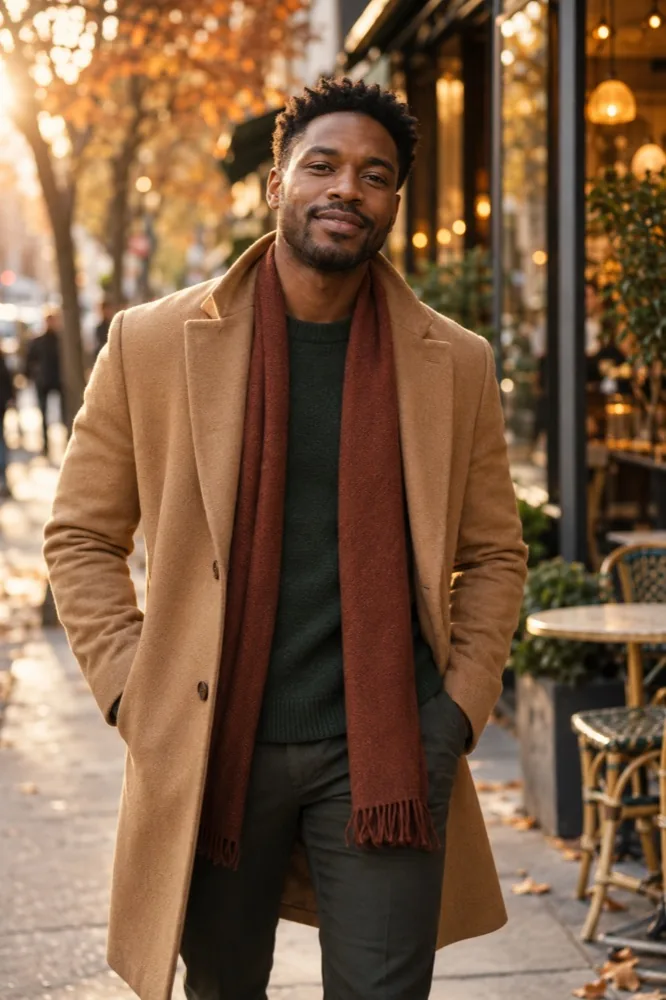 City main characterPeople · An everyday portrait with big-screen energy.Illustrative style concept · View all looks
View or edit prompt Template
Use the template prompt as written, or adjust the movement, mood and camera angle.
Changes apply to your next AI video and require a new safety review. The example video does not reflect your edits. Your prompt is saved with your video so you can copy it later.
Adults only. Use a photo you have permission to use.
One clear adult portrait works best.No photo selected
Add up to 4 photos. Two or more make one shared scene with everyone in it.
Choose an adult portrait with natural lighting and visible shoulders. The autumn street and cafe lights create the setting; avoid a heavily filtered source face.
Use photos of adults you have permission to use. Photos are checked before creation.
- Model
- Wan 2.2
How to make this video
- Use one clear, front-facing photo for a solo pier scene, or a single photo that already shows both adults for the duet version. Two separate portraits are a harder starting point for one continuous shot.
- Keep the motion to a slow sway and a look toward the camera. This is a five-second photo-to-video prompt, not a performance or lip-sync transfer.
- Check faces, hands and the horizon, then add the trend audio in your editor when you post.
Copy and customize the prompt
This is an original prompt to try. A generated sample for this exact effect has not been reviewed yet; results vary with your photo and model.
Create a five-second vertical 9:16 cinematic scene at golden hour from the reference photo. Use the clearly adult person in the photo, or both adults when a single photo clearly shows two people. Preserve each person's facial identity, skin tone, hairstyle, body proportions and existing clothing. Set the scene on a weathered wooden pier over calm water, with a low warm sun behind the camera, soft haze and gentle ripples. The first person sits at the edge of the pier with their feet above the water; the second, when present, stands a few steps away and turns toward the seated person. Movement stays small: a slow shoulder sway, a slight head turn toward the camera and a calm, warm expression. One continuous static medium shot, realistic skin and fabric, natural daylight. No lip-sync to any song, no new people, no duplicate limbs, no celebrity likeness, no text, logos or watermarks.
Before you create
What is the Raindance AI trend?
It borrows the look of the official music video for Raindance by Dave and Tems: a weathered wooden pier, calm sea, a low golden-hour sun and a 4:3 frame. People use image and video tools to place themselves, a partner or friends on that pier and post the clip on TikTok or Reels with the original audio. This page covers raindance ai video and raindance trend.
Does it include the song, or sync a mouth to it?
No. SnapToClip generates a silent five-second clip from your photo and a text prompt. It does not accept an audio track and does not lip-sync a face to a song, so exact singing and timing are not reproduced. Add music you have the rights to in TikTok, CapCut or another editor before posting.
Can two people be in the clip?
Yes, when one photo clearly shows both adults. The studio accepts up to four reference photos, but separate portraits of two people are harder to hold consistent inside a single five-second shot. Start with one photo that has both faces visible.
Is this a face swap of the original video?
No. This generates an original scene from your photo and a prompt; it does not take the official clip, replace the performers or reuse the artists' likeness. Only upload photos of people who agreed to appear. SnapToClip is not affiliated with Dave, Tems or their labels.
Is the output the same shape and length as the trend clips?
Trend posts run anywhere from 8 to 30 seconds in a 4:3 frame. SnapToClip produces a five-second vertical 9:16 MP4, which is the format TikTok and Reels fill the screen with. For a longer cut, generate separate shots and join them in an editor.
Is this free?
AI video uses paid credits. Standard generation costs 1 credit silent or 2 with supported sound; optional model upgrades have their own prices. The studio shows the cost before generation.
More ideas for your photo
Becane Yame AI: make your own studio parody →
Paparazzi red carpet AI video: your premiere moment →
Hop Hop Hop AI: a playful bounce from your photo →
Hotel Lobby duo → · Browse all prompts → · Models and pricing →