PHOTO TO VIDEO · 5 SECONDS
Paparazzi red carpet AI video: your premiere moment
Step onto a red carpet, pause between the velvet ropes and turn toward the cameras. Use your own photo for a short premiere-arrival scene with the red carpet flashbulb AI effect.
Create with my photo ↗Watch the red carpet trend
Third-party reference clips, credited below. They show the trend, not results generated with this page’s prompt. SnapToClip creates five-second clips; reference durations and audio vary.
The tuxedo premiere
12.05s · Audio available — unmute to listen
Reference: Kavel ↗Try your own version →The gala steps
12.26s · Audio available — unmute to listen
Reference: Kavel ↗Try your own version →The car arrival
10.27s · Audio available — unmute to listen
Reference: Kavel ↗Try your own version →The theatre entrance
10.88s · Audio available — unmute to listen
Reference: Kavel ↗Try your own version →Upload your photo and customize the scene
The prompt is already filled in below. AI generation uses credits; check the selected model, sound option and cost before confirming.
- 1Choose a look
- 2Frame your photo
- 3Review & create
- 4Check your video
Create a video from one photo
An everyday portrait with big-screen energy.
Choose an adult portrait with natural lighting and visible shoulders. The autumn street and cafe lights create the setting; avoid a heavily filtered source face.
1-4 photos · 5 seconds · vertical 9:16
Photo requirements and template guide →The preview below illustrates the style. A reviewed AI video sample is not yet available for this template.
Visual preview · 9:16 · 5 seconds
AI creates a new scene; this moving photo does not preview the selected AI movement. Sound is added only when available and selected.
Standard mode automatically uses Kling 2.6, Vidu Q4 or Wan 2.2 based on your photo count and sound setting. Seedance 2.0 Fast and Seedance 2.5 are optional upgrades, selected only with your explicit price confirmation. The studio shows the model and credit cost before generation. Media safety review uses Google Gemini 3.8 Flash. Free photo animation runs in your browser without generating a new AI scene. Check current availability before uploading or buying credits.
We are checking that photo review and video creation are available.
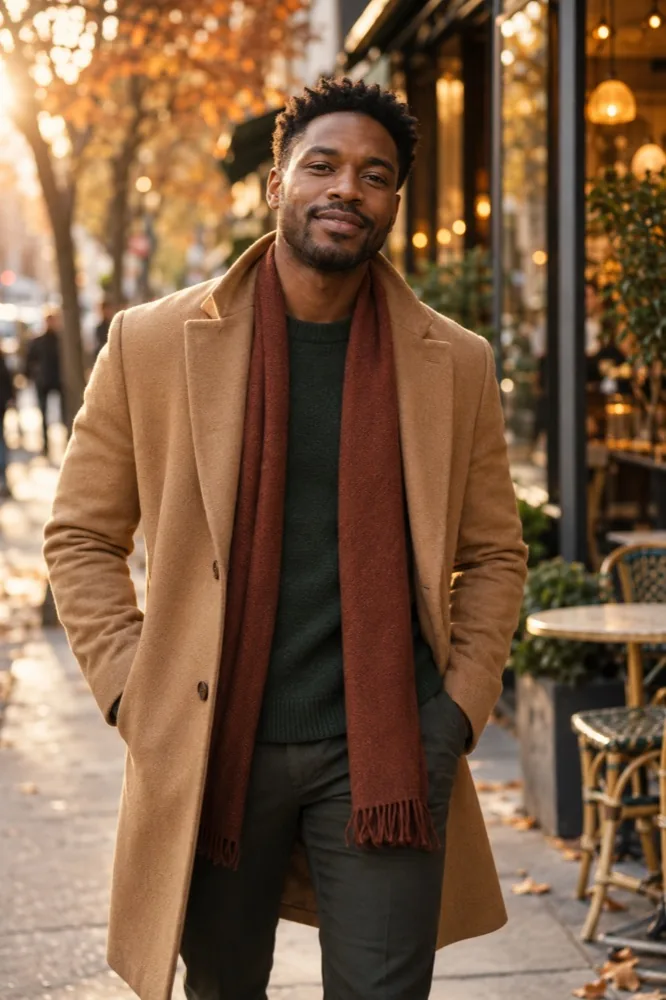 City main characterPeople · An everyday portrait with big-screen energy.Illustrative style concept · View all looks
View or edit prompt Template
Use the template prompt as written, or adjust the movement, mood and camera angle.
Changes apply to your next AI video and require a new safety review. The example video does not reflect your edits. Your prompt is saved with your video so you can copy it later.
Adults only, fully clothed. No sexual or graphic content. Photos are checked before generation.
One clear adult portrait works best.No photo selected
Add up to 4 photos. Two or more make one shared scene with everyone in it.
Choose an adult portrait with natural lighting and visible shoulders. The autumn street and cafe lights create the setting; avoid a heavily filtered source face.
Adults only, fully clothed. No sexual or graphic content. Confirm permission above before uploading. Your photo is processed on this device first. It reaches the Google Gemini 3.8 Flash safety review only after you sign in.
Create a new scene from a portrait you have permission to use. Previews show the style; results vary.
- Template
- City main character
- Movement
- Template motion
- Prompt
- Template
- Photo
- Upload and confirm your crop
- Model
- Wan 2.2
- Format
- 5 seconds · 9:16
- Sound
- Silent video
- Cost
- 1 credit
How to make this video
- Choose a clear adult photo with the outfit and enough of the body visible.
- Use a step-and-pose action rather than a long walk or several scene changes.
- Review the face, hands, outfit and flashes, then download the finished clip.
Copy and customize the prompt
This is an original prompt to try. A generated sample for this exact effect has not been reviewed yet; results vary with your photo and model.
Create a five-second vertical 9:16 cinematic red carpet arrival featuring the clearly adult person in the reference photo. Preserve their exact facial identity, skin tone, hairstyle, body proportions and existing outfit. At a fictional evening film premiere, red carpet and velvet ropes lead toward softly lit entrance doors, with photographers in the background on both sides. The subject takes one small natural step, stops and turns their shoulders slightly toward the camera with a confident smile. A few brief, soft camera flashes illuminate the scene without hiding the face. One continuous medium-full shot, stable camera, realistic anatomy and fabric. No rapid strobing, celebrity likeness, branded event signage, extra limbs, added text or logos.
Before you create
What is the red carpet flashbulb AI trend?
It turns an everyday portrait into a fictional premiere arrival with velvet ropes, photographers and camera flashes. This page covers paparazzi red carpet ai video and red carpet flashbulb ai.
Can I change the outfit or add a car arrival?
Edit the prompt before generating. Preserving the existing outfit is the simpler starting point. A car exit plus a walk and several poses is too much for this five-second workflow; make separate shots instead.
Does it include shutter sounds or 4K output?
This workflow creates a five-second clip, not the twelve-second or 4K output advertised by some other services. Sound depends on the model and option selected before generation. Specific shutter sounds are not guaranteed; add them in an editor if needed.
Is this free?
AI video uses paid credits. Standard generation costs 1 credit silent or 2 with supported sound; optional model upgrades have their own prices. The studio shows the cost before generation.
More ideas for your photo
Becane Yame AI: make your own studio parody →
Hop Hop Hop AI: a playful bounce from your photo →
Hotel Lobby duo → · Browse all prompts → · Models and pricing →