Make a five-second vertical Christmas clip from an adult portrait or a product photo. Choose free photo animation for preset motion and your own greeting, or use paid AI video for a new festive scene.
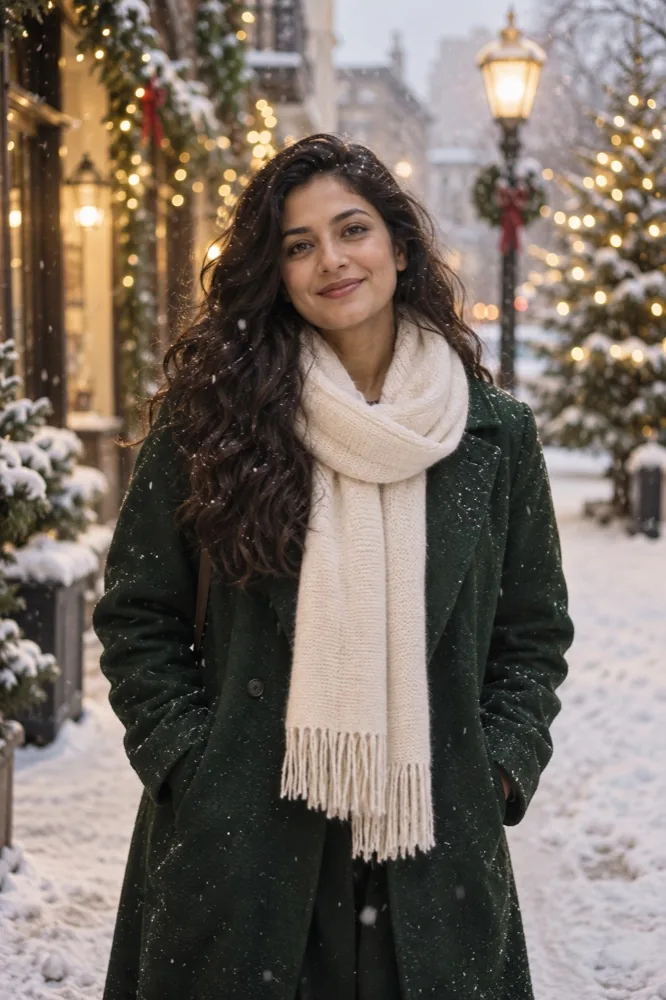
For one clearly adult portrait. A snowy street, evergreen trees and warm lights frame the person without adding written greetings. Leave room around the face and shoulders for a vertical crop.
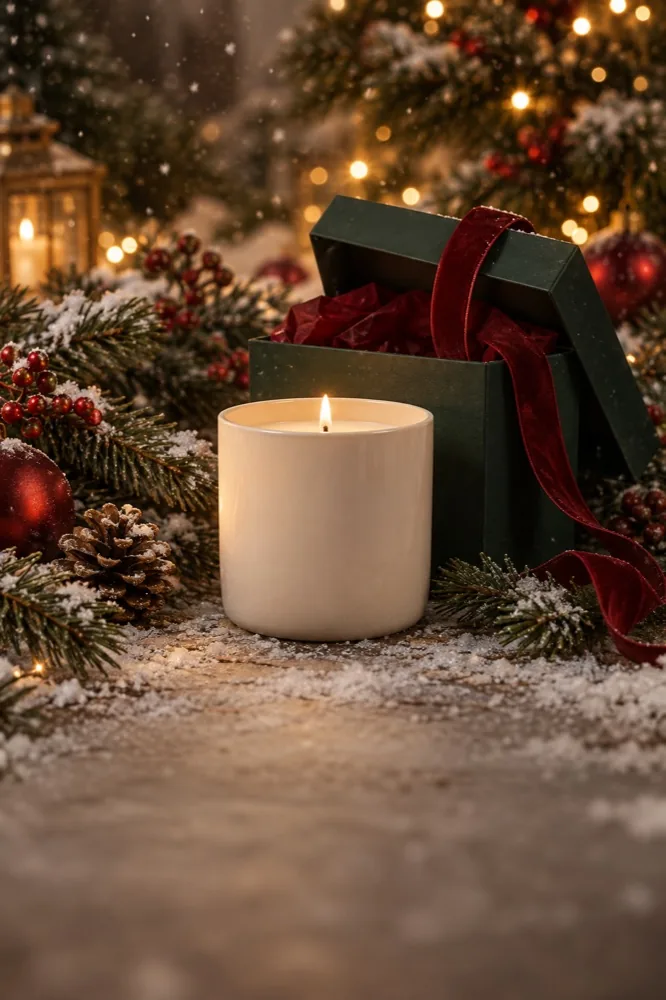
For one clear product photo. Gift wrapping and warm festive light build a short reveal; generated labels and logos may not stay exact. Show the whole product and check the downloaded result before sharing.
Pick a festive look for an adult portrait or a product photo and read its photo requirements.
Open the matching studio, sign in, confirm permission and upload one JPG, PNG or WebP up to 20 MB.
Wait for the safety review, then check the crop so the face, pet or product fits the frame.
Choose Photo animation · Free for preset motion and your own greeting. Choose AI video for a new scene and confirm the displayed credit cost.
Create the five-second vertical clip. Play it, check the details and download the finished result.
Keep the free animation tab visible during recording. AI creation runs as a saved task; avoid submitting another generation while its status is uncertain.
Make a Christmas video for free in your browser
Photo animation · Free runs in your browser without installing an app or using generation credits. It keeps your existing picture and adds preset camera motion, decorative effects, editable greeting text and optional instrumental sound. It does not make the subject independently move or generate a new Christmas scene.
Sign-in and safety review still apply before uploading. Your photo and text are sent for review first; the animation is then made on your device. Free recordings export as WebM or MP4 depending on browser support. Keep your original photo and preview the exported file before sending it.
For exact wording, select Photo animation · Free and edit the headline in the studio. Write “Merry Christmas”, add a first name or use a short message of your own. Use the optional name or brand field for a simple sign-off. A short greeting is easier to read during a five-second clip.
Preview the placement so it does not cover a face or product. AI scenes do not automatically include the free editor’s headline, and generated lettering may change or disappear. If you choose AI video and need exact words, add the greeting afterwards with a video editor.
Christmas video ideas for portraits and products
For a personal greeting, choose Holiday portrait and use a sharp photo of an authorized adult in even light. The AI direction requests a snowy street, evergreen trees, warm fairy lights and subtle motion while preserving the person’s features. A simple composition gives the model fewer competing details to change.
For a gift announcement or small shop, choose Unwrap something good. Use a clean product image showing its shape, color and packaging. The AI direction requests ribbons, evergreen branches and warm festive light. Labels, logos and fine print can change, so inspect every visible brand detail before using a result commercially.
Choose free photo animation when preserving the original pixels and adding a written greeting matter most. Choose paid AI video when you want newly generated motion and scenery and can accept variation. The studio shows current availability and credit cost; a style concept is not a guarantee of output.
Christmas video for pets
Have a cat or dog photo instead? The Christmas pet guide explains the Wrapped up look and its source-photo requirements. Keep the eyes, both ears and distinctive markings visible, with space around the head. Use a photo you own or have permission to use and avoid costumes that obscure the animal.
People must be clearly adult, fully clothed and have authorized the use of their photo. Use a product picture you own or have permission to use. All uploaded media and generated results must pass safety review; unavailable or uncertain review pauses creation.
The pictures on this page are illustrative style concepts. They are not guaranteed output samples. For AI scenes, check faces, product details, movement and sound before sharing. Browse all photo-to-video looks, or use the birthday video maker for another occasion.
Yes. Photo animation is free after sign-in and a safety check. It adds preset motion and your own greeting to your original photo in the browser; it does not generate a new AI scene or use credits.
Can I make a Christmas video from one photo?
Yes. Choose Holiday portrait for one authorized adult portrait, or Unwrap something good for one product photo. Each look has its own photo requirements in its template guide.
Can I add my own Christmas message?
Yes, with Photo animation · Free. Edit the headline before creating. AI-generated scenes do not reliably render exact written messages, so add text separately if you choose AI video.
Do I need to install an app?
No. Both the free photo-motion editor and the AI studio run in your browser. Keep the tab open while the free five-second clip records. For AI video, wait for the saved task to finish before downloading.
Can I make a Christmas video of my dog or cat?
Yes. The Wrapped up look is designed for one clear cat or dog photo with the head and both ears visible. Use a photo you own or have permission to use. Review the template requirements and current studio availability before creating.