Flova AI (flova.ai): what it makes and costs
Flova AI is the product behind flova.ai — an agent-led video workspace rather than a single prompt box. You give it a sentence, a script or reference files; it plans a storyboard, generates shots with third-party models, and assembles an editing timeline. It is built for multi-scene work, and it sells credit subscriptions against per-second model rates. This page is a reading of Flova’s own pages on 29 October 2026, not a test of our own, and SnapToClip has no connection to Flova.
What is Flova AI, and what does it actually produce?
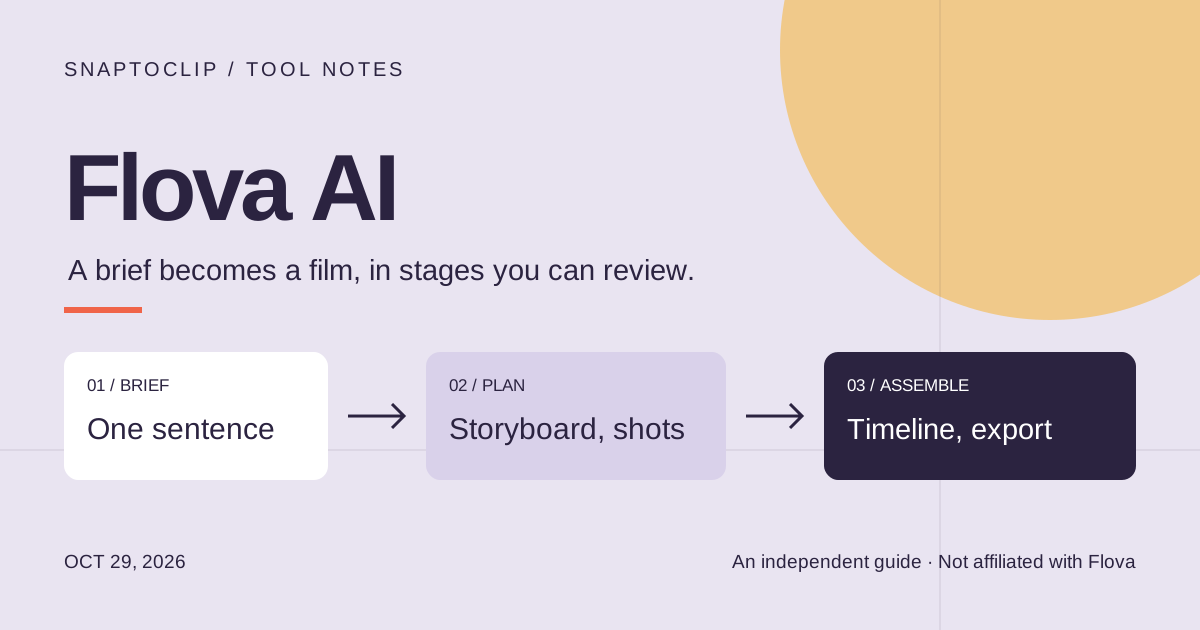
Flova AI is the video product at flova.ai. Its own headline is “more than an AI video generator”, and the phrase it repeats is “your all-in-one video agent”. In practice that means the unit of work is a project, not a clip: you describe what you want or upload reference files, and the agent turns that into a script, a storyboard split into shots, generated media, and a timeline you can export.
The site’s example work is multi-scene by nature — short dramas, product ads, music videos, motion comics and vertical social cuts. That is the tell. A tool that lists “episode”, “shot” and “timeline” as its nouns is solving a different problem from a tool that returns one five-second clip from one photo.
Both flova.ai and the older flova.tv address open the same Flova 1.5 workspace; the English site is flova.ai. If a search result points you at the second domain, you are in the right product.
Flova pricing: credit plans and per-second model rates
Flova sells credits through monthly plans, and the number shown below is the monthly price when the year is paid up front. Credits are then spent against per-second model rates, so the plan price is a floor rather than what a finished video costs.
The official page on 29 October 2026 showed a Flova 1.5 launch discount running across those rates — Seedance 2.5 generation cut by 50–85% depending on the plan and whether you supply a video reference. Treat every per-second figure here as promotional and re-check the pricing page before you budget: a discount like that is exactly the kind of number that changes between reading a guide and paying.
| Plan | Credits per month | Price per month, billed annually | Concurrency / users |
|---|---|---|---|
| Starter | 2,000 | $20 | 10 / 2 |
| Basic | 5,000 | $50 | 20 / 5 |
| Plus | 10,000 | $100 | 50 / 10 |
| Pro | 20,000 | $200 | 80 / 20 |
What the agent workflow buys you — and what it costs in steps
Three things are genuinely different from a one-prompt generator. First, the plan comes before the spend: the storyboard is visible and editable while the shots are still unrendered, which is the cheapest moment to change your mind. Second, revisions are targeted — the documented behaviour is to comment on one shot and regenerate that shot, keeping the rest. Third, the asset library reuses a character or a set across episodes, which is what makes a series look like a series.
The cost is steps. A brief, a plan review, a storyboard pass, shot generation, a timeline assembly, an export. Each of those is a decision, and on a per-second billing model each expensive one is also a line on the invoice.
None of this is a criticism — it is the shape of the job Flova chose. The mismatch only appears when the job is smaller than the workflow: one photo, one five-second post, done in a minute.
Flova AI vs one photo, one clip
This is the honest split. Flova is the better tool when the answer needs several shots, a narrator, music and a cut that holds together. A photo-to-video studio is the better tool when the answer is one shot and the photo already exists.
| Flova AI | SnapToClip | |
|---|---|---|
| What you bring | A brief, a script, or image, video and audio references | One reference photo |
| What you get back | A multi-shot project with an editing timeline | One vertical clip, about five seconds |
| How you steer it | Storyboard, per-shot prompts, comments, targeted regeneration | Pick a look and a prompt, then regenerate |
| How you pay | Credit plan plus per-second model rates | One credit per silent clip, two with sound |
| Setup before the first result | Write the brief, review the plan, approve the storyboard | Upload a photo, choose a look |
| Made for | Short dramas, ads, music videos, episodic work | One photo, one social clip, one idea |
If what you have is one photo
SnapToClip does the small version of this job and stops there. You upload one photo — a person, a pet or a product — choose one of the built-in looks, and the studio requests a five-second 9:16 clip from a compatible standard model. One silent clip costs one credit; adding sound costs two. The exact pixel size is set by the model that runs, and only Kling 2.6 has produced 1080p in our own tests.
What it does not do is as important. There is no storyboard, no multi-scene timeline, no script-to-video, no lip sync and no voice cloning. If your project needs any of those, Flova is the right kind of tool and this studio is not — the guide to the whole category is at the end of this page.
If you want the one-clip version, start with a look, then read what the model needs from your photo.
Common questions
Is flova.ai free? Flova’s own FAQ includes a “can I try it for free” question, and an independent review published on 21 October 2026 reports 300 credits on sign-up. Neither is a free tier: the plans above start at $20 a month billed annually. Check the plan page rather than trusting a trial number quoted in a review, including this one.
Is Flova the same as flova.tv? Both domains open the Flova 1.5 product. flova.ai is the English entry point; the .tv address serves the same workspace with a Chinese interface.
Can Flova animate a single photo? It accepts image references, so yes — but the work still goes through a plan and a storyboard. For one photo, one shot that is more machinery than the task needs, which is the whole reason SnapToClip exists.
Does SnapToClip use Flova, or any of its models? No. Our studio routes standard video models — Kling 2.6, Vidu Q4 and Wan 2.2 — and charges one credit for a five-second silent clip in standard mode.
Which is cheaper for one clip? They are not comparable line items: SnapToClip charges one credit for the clip, while Flova charges a subscription and then bills the render by the second. Compare the price of the credits you would actually buy, not the headline plan price.
- Plans, credits and per-second rates — Flova pricing (checked 29 October 2026) ↗
- Product description and example work — Flova home ↗
- Agent-led workflow, Skills and asset library — Flova blog ↗
- Independent review, including the 300-credit sign-up report — Tech Pilot ↗
- Chinese-language review of the same workflow — New Mobile Life, 21 October 2026 ↗
Find your scene.
Browse a template, then check creation availability in the homepage studio.
Explore the looks ↗