Muse Wonder benchmark: scores, pricing and creator uses
Muse Wonder is Meta’s reasoning and agent model, released on October 12, 2026. Its benchmark results depend on the task and variant: Wonder and Wonder Full are different products. It outputs text, so it can help plan a video but does not render the finished clip. SnapToClip has not integrated Muse Wonder.
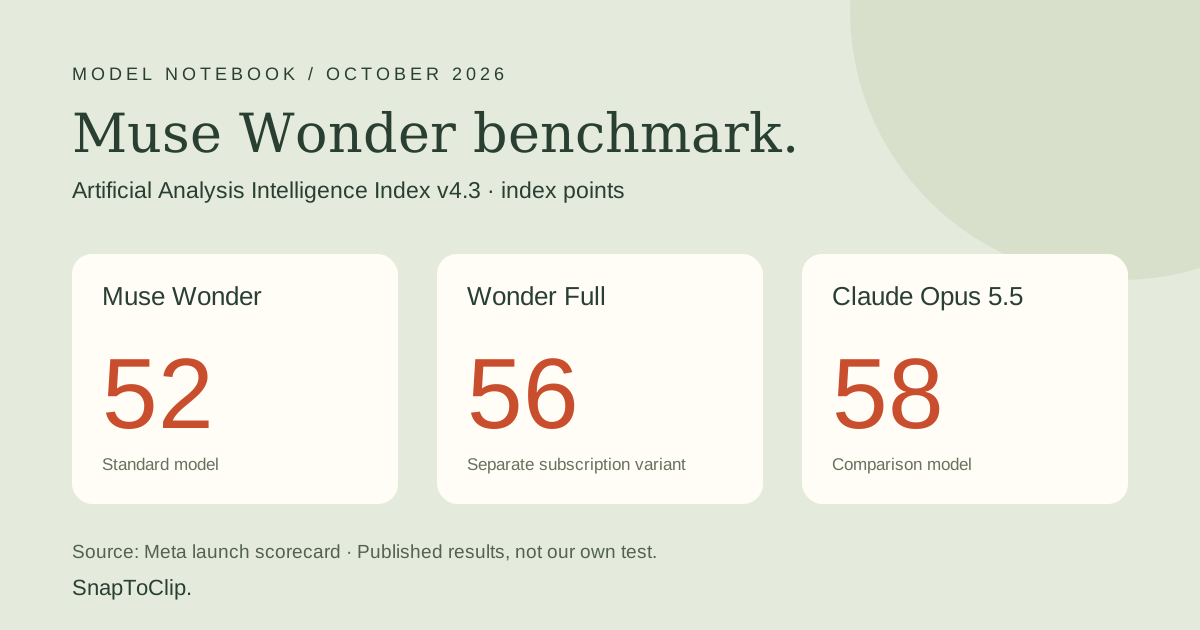
Muse Wonder benchmark scores: how does it compare?
These figures come from Meta’s launch scorecard, checked October 17, 2026. They are published results, not our own tests. Higher is better in each row; the index uses points, while the three coding rows use percentages.
Full leads these selected models on DeepSWE and SWE-Marathon; Opus leads on Terminal-Bench and the overall index. No model wins every row.
| Benchmark | Wonder | Wonder Full | Claude Opus 5.5 | GPT-6 Astra |
|---|---|---|---|---|
| AA Intelligence Index v4.3 (points) | 52 | 56 | 58 | 53 |
| Terminal-Bench 4.0-AA (%) | 52.0 | 57.1 | 59.6 | 59.1 |
| DeepSWE 1.1 (%) | 78.8 | 79.0 | 74.2 | 74.1 |
| SWE-Marathon (%) | 53.1 | 57.5 | 46.3 | 42.5 |
What do these benchmark results actually measure?
Terminal-Bench tests terminal tasks; DeepSWE and SWE-Marathon test software engineering. They do not measure generated video quality. The model card also warns that SWE-Marathon uses different agent harnesses; Full’s result uses xhigh reasoning. Other launch results generally use max. Treat the table as a snapshot rather than a controlled ranking of every workflow.
For a creator, a useful test is whether the model follows a brief, keeps a script within the time limit and gives usable scene directions. Judge the rendered video separately for identity, motion, sound and safety. We have not run a hands-on Muse comparison.
Muse Wonder vs Full: access and pricing
Meta lists Wonder as muse-wonder-1.0 on its Model API. Full is available through eligible Muse Code subscriptions, not the public pay-as-you-go API. Setting a higher reasoning effort on Wonder does not turn it into Full.
At the listed rates, 2,000 uncached input tokens plus 500 output tokens cost $0.018: $0.008 input plus $0.010 output. This is an illustrative text-only calculation, excluding tools, retries and any media generation. It is not a SnapToClip price.
| Billing item | Official list price |
|---|---|
| Wonder input / 1M tokens | $4.00 |
| Wonder cached input / 1M tokens | $0.20 |
| Wonder output / 1M tokens | $20.00 |
| Full via Muse Code | Power Usage $50/month or Maximum Usage $200/month |
Can Muse Wonder make a video from a photo?
The model card lists text output. Understanding an image or video is different from generating a new image or MP4. A finished photo-to-video workflow needs a separate video model, and speech may need synthesis and lip sync.
Our proposed creator use is planning: a short script, shot direction or caption draft. It is not an available Muse-powered SnapToClip template. Check the homepage studio for current creation availability.
How could it help with a holiday video?
For Halloween, a useful brief might ask for a five-second pumpkin scene with amber light, a recognizable pet and no gore. For Christmas, try evergreen branches, warm lights and a short original greeting. These are planning examples, not Muse-generated results.
Keep the model’s writing cost separate from video rendering, voice, safety review and failed attempts. Paying less for a prompt does not make an entire video inexpensive.
Frequently asked questions
Is Muse Wonder the same as Muse Image? No. Wonder outputs text; Muse Image is Meta’s separate image-generation model.
Is Muse Wonder better than Claude or GPT for every task? No. The selected results differ by benchmark, variant and execution setup. Evaluate your own task and total cost.
Can I use Muse Wonder on SnapToClip today? No. This is an editorial model guide, not an integration announcement.
Find your scene.
Browse a template, then check creation availability in the homepage studio.
Explore the looks ↗